Add a New Playlist
In the Administration module, you can create new playlists to display various views effectively. This functionality helps organize and manage content playback across your platform.
To Add a New Playlist
- Go to Administration > Playlists.
- Select the Playlist tab.
- Click Insert a View.
View RequiredBefore creating a new playlist, you must insert at least one view.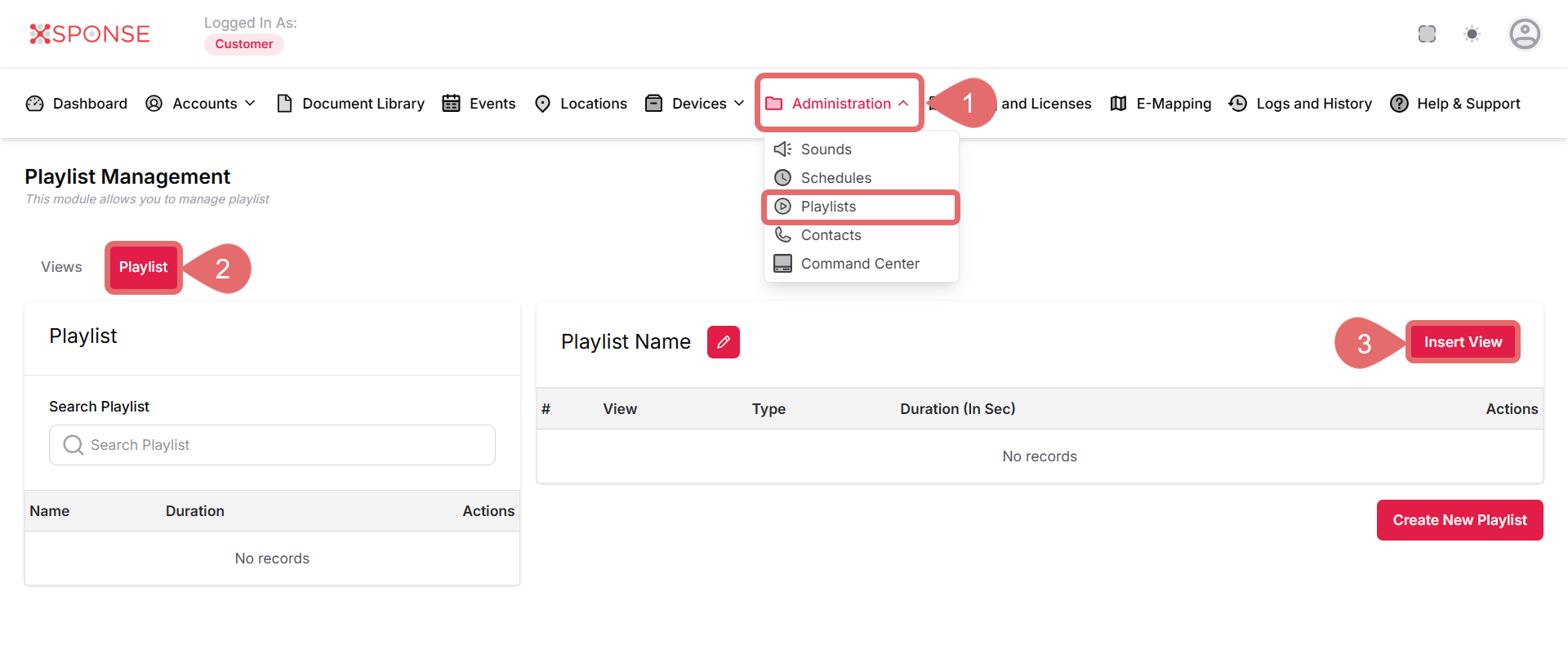
- Select the desired view from the list and click Insert.
- Then, click Close to exit the dialog.
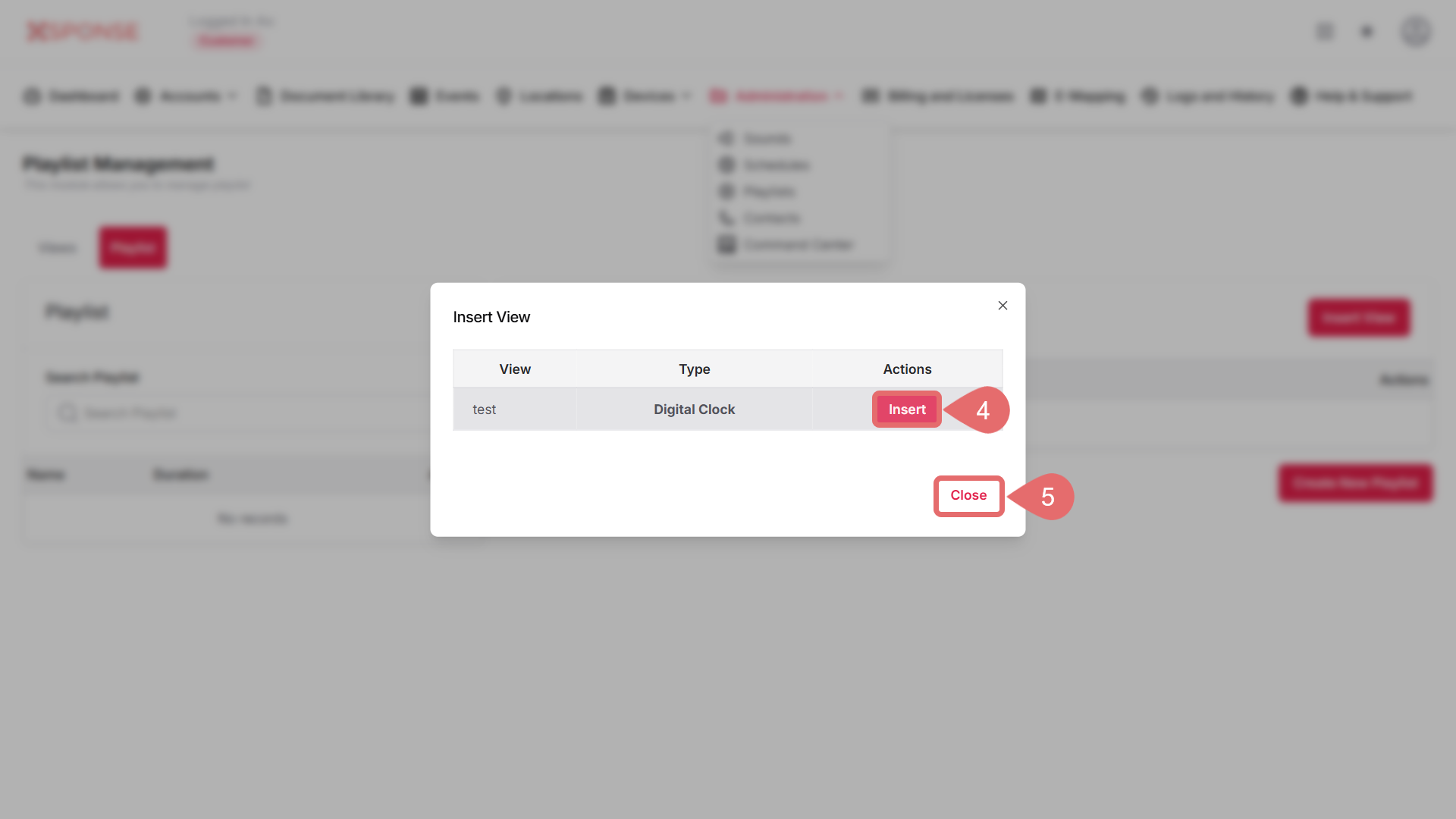 NoteAfter inserting a view, you can now create the playlist.
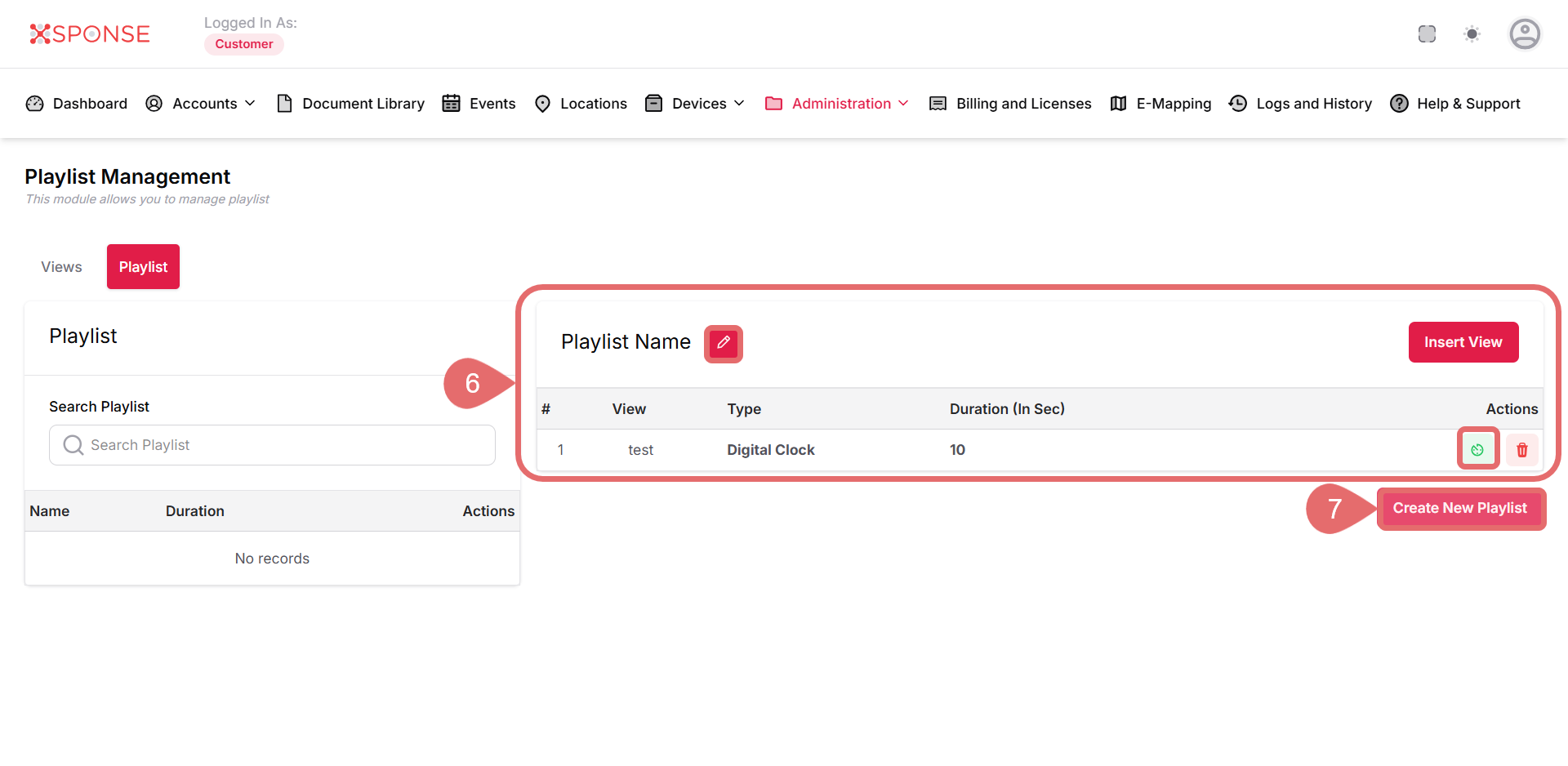
 - Configure Playlist Details.
- Playlist Name: Provide a descriptive name for your playlist.
- Duration: Verify the total duration based on the inserted views.
- Click Create New Playlist at the bottom of the view.
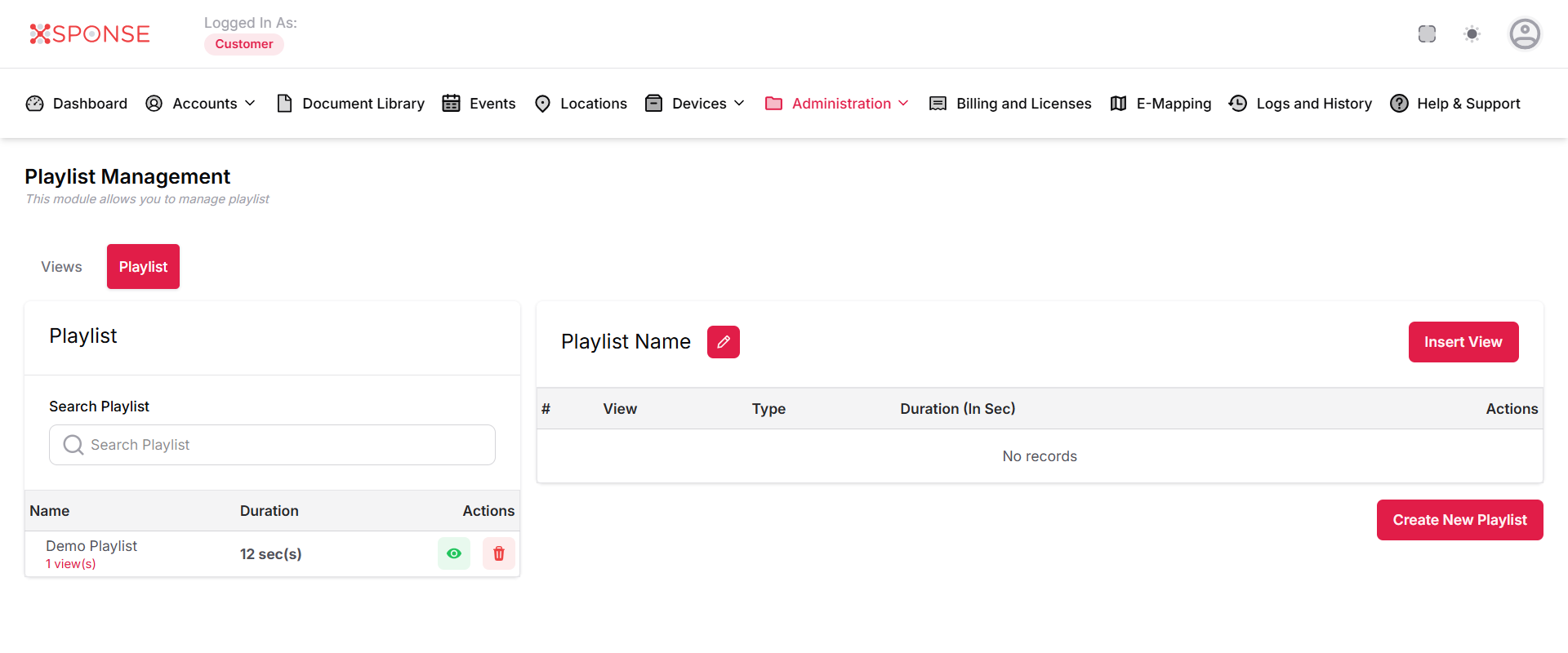
Once the playlist is created, it will appear in the list of playlists. You can see the playlist name, duration, and available actions (like editing or deleting).
See Also
To complement your knowledge of this process, check the following pages: